Place anchors before decorating the image.
Which pieces define the frame and which merely fill it?
This alignment model separates anchors, edge confirmation, and fill pieces; no captured solve is claimed.
| Piece class | Evidence | Placement order | Why it matters |
|---|---|---|---|
| Corner/anchor | Defines two boundaries | First | Limits later choices |
| Edge piece | Confirms one boundary | Second | Prevents drift |
| Interior fill | Depends on anchors | Later | Easier once references exist |
Anchors and edges create the coordinate system that makes interior placement safe.
First bad decision
Complete an attractive interior pattern before the surrounding anchors agree.
- Tempting move
- Complete an attractive interior pattern before the surrounding anchors agree.
- Why it appeals
- The picture seems to advance fastest.
- Actual cost
- A shifted anchor can invalidate the completed patch.
Before the next decision
Connect Puzzle Image: the four-point re-check
- Find two-axis anchors first.
- Check alignment from the frame inward.
- Delay decorative fills until boundaries hold.
- Verify after each new boundary piece.
Connect Puzzle Image’s opening screen
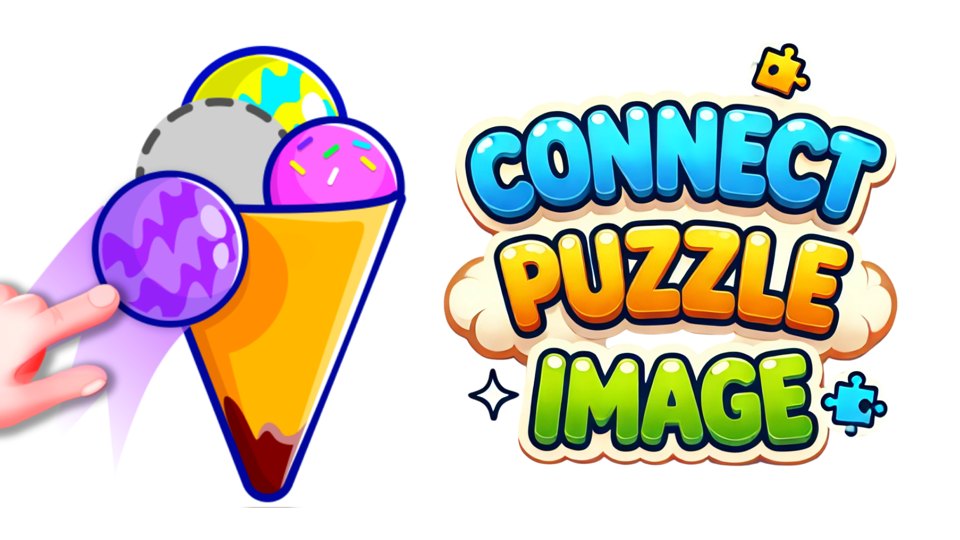
The tested build opened directly on Level 1. A grey silhouette of an ice-cream shape appears near the top, while a purple scoop piece and yellow cone sit below. The text says Drag to move, and a hand demonstrates moving the scoop. Settings, restart, a lightbulb helper, and an ad-marked skip control are visible around the edges.
This live screen confirms a silhouette assembly puzzle. We did not use the hint or skip, and we did not inspect the final image library.
Anchor a distinctive boundary before a uniform patch
Consider a constructed picture with an octopus outline, a straight table edge, and several nearly uniform background pieces.
Place a piece containing a clear corner of the table or a recognizable curve before testing the background pieces at random. Once that anchor is fixed, neighboring boundaries narrow the remaining candidates. A piece with a similar color is not necessarily in the correct location. If rotation is offered, orientation adds another variable; if it is not, rotating the piece mentally can create a solution the interface cannot execute.
The example teaches visual assembly rather than reproducing a level. Rotation, snapping tolerance, and saved progress have not been tested.
How image structure guides piece placement
Each level asks the player to reconstruct a pictured object by moving separate pieces into the matching silhouette. Position, orientation, and layering may all matter. Early objects are recognizable, but later puzzles can become harder when several pieces share similar curves or must overlap in a specific order.
The central skill is visual decomposition: seeing the final outline as smaller shapes and matching each contour to a component.
Start with the largest or most distinctive component. In the observed ice-cream level, the cone provides a clear vertical base, while the rounded scoop aligns above it. Placing the structural piece first reduces ambiguity for smaller details.
If the game allows rotation later, identify orientation before dragging to the target. Repeatedly forcing the wrong angle wastes more time than checking the contour.
The tutorial explicitly demonstrates drag input and is suitable for mouse or touch. Keyboard-only operation was not shown. The white background and grey target give good contrast for the colorful pieces, though low-contrast future images remain an open question.
Shape outlines provide a cue beyond color, which is useful for color-vision differences. We did not verify text scaling, zoom, sound feedback, or whether pieces announce correct placement.
The Playgama export displayed an advertisement before the puzzle. An upper-right lightbulb carries a small ad badge, and the skip control is also ad-marked. These appear optional in Level 1, but we did not test whether later levels require them or whether a non-ad solution is always available.
Drag recognition is another possible friction point. If pieces fail to snap despite correct placement, input tolerance rather than puzzle logic may be responsible. Testing on both mouse and touch could produce different results.
Connect Puzzle Image suits players who enjoy jigsaws, silhouettes, and calm object assembly. It may not suit people who require keyboard navigation or want helpers without advertising. The first level offers a clear way to judge whether snapping and visual cues feel fair.
The research build was provided and hosted by Playgama. znvrgames independently inspected Level 1 on August 31, 2026 but does not develop, own, host, embed, or publicly link to that build. Images, ads, hints, controls, and availability can change at the provider.
A longer review should compare snapping accuracy on touch and mouse, finish several multi-piece images, and determine whether hints explain placement or simply solve it. We would also check whether an ad-free path remains available on every ordinary level.
The grey target shape gives the player two sources of information: the outline of the finished object and the location of missing regions. Before dragging a piece, compare its longest edge and any distinctive curve with the silhouette rather than trying every empty area. Start with corners or tips that have only one plausible orientation, then use those fixed pieces to judge the scale and position of less distinctive parts.
Snapping behavior is central to fairness. A piece should either settle with a clear animation or return to its tray; an ambiguous near-fit can make the player repeat a correct idea unnecessarily. The next test should release the same piece slightly inside, exactly on, and just outside its target. We would also rotate the browser and compare whether the target remains large enough for precise dragging. These observations would show whether challenge comes from recognizing the image or from fighting hit boxes, an important difference for younger players and anyone using touch input.
Use structure before guessing edges
Playgama describes tapping and dragging virtual pieces into aligned positions to complete a picture.
Finishing a picture advances to another. The listing mentions pausing and resuming, but does not distinguish an in-session pause from progress surviving a closed browser.
Sort corners, edges, and distinctive textures first.
- Sort corners, edges, and distinctive textures first.
- Build around identifiable structures.
- Use color only after shape and lines agree.
- Keep candidates separated until evidence improves.
Two pieces share a long edge
Two pieces share a long edge
Use continuous lines before color alone.
Long structure gives stronger evidence.
A piece could fit two places
Hold it until neighboring context appears.
Forced placement often creates later contradiction.
Build around identifiable structures.
- Sort corners, edges, and distinctive textures first.
- Build around identifiable structures.
- Use color only after shape and lines agree.
Great for calm image reconstruction.
Great for calm image reconstruction.
Less interesting if you dislike visual search.
Connect Puzzle Image versus color dots challenge
A dot puzzle can state identity with a single color or symbol. Image assembly often requires reading a larger outline across multiple fragments. Prefer according to the kind of visual evidence you enjoy using.
Read the comparison overview →Choose it for evidence-based assembly, not random matching.
Choose it for evidence-based assembly, not random matching.
Editorial synthesis: Anchor a distinctive boundary before a uniform patch
The strongest decision in this puzzle is where to create certainty first. A distinctive boundary or corner can anchor the rest of an image, while a uniform patch offers many plausible but weak placements. The page teaches readers to prefer constraints that reduce future ambiguity, which is a transferable strategy rather than a description of one board. It also explains why the experience may appeal to patient visual organizers more than to players seeking immediate feedback. The comparison with dot matching is about evidence: one mechanic rewards spatial continuity, the other rewards target recognition.