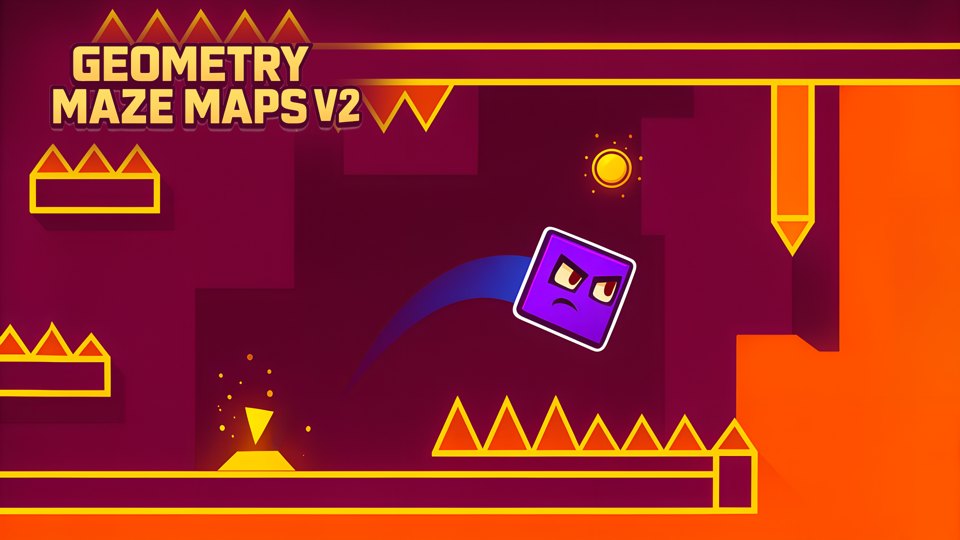
Time the input to the obstacle, not to the approaching image.
Which cue should start your count?
This timing model separates visible approach, actual hit window, and recovery; it is not a measured frame test.
| Phase | What matters | Common error | Better cue |
|---|---|---|---|
| Approach | Obstacle speed and lane | Reacting to decoration | Watch the hitbox path |
| Hit window | Short actionable interval | Early jump on a spike | Use obstacle edge, not color |
| Recovery | Landing or lane reset | Immediate next input | Wait for stable motion |
The actionable window starts at the obstacle edge, not when decoration enters the screen.
First bad decision
Jump when a spike enters the screen instead of when it enters the actionable window.
- Tempting move
- Jump when a spike enters the screen instead of when it enters the actionable window.
- Why it appeals
- Early reaction feels safer.
- Actual cost
- The character can land inside the hazard or lose the next input window.
Before the next decision
Geometry Maze Maps V2: the four-point re-check
- Name the exact obstacle edge used as cue.
- Separate approach from action window.
- Reset motion before the next obstacle.
- Practice one pattern type at a time.
Geometry Maze Maps V2’s opening screen
The game began running quickly after its source ad. By the time the stable screenshot was captured, the screen already showed Game Over above a geometric obstacle course. Tutorial text underneath included directions such as tap to jump, jump high, and teleport up or down. That is meaningful evidence: the game expects immediate reaction and can fail while the player is still reading.
The first-session result also explains why a polished catalog page should not imply completion of all six maps. We observed the active tutorial environment and an early failure only.
Separate the takeoff cue from the landing
In a constructed obstacle sequence, a jump clears the first spike but lands on the next one. Compare that with an attempt that strikes the first spike before takeoff.
These failures identify different parts of the timing problem. The second attempt needs an earlier takeoff cue; the first may need a different arc, booster interaction, or route. Record which obstacle ends the attempt before shifting every input. Because movement is automatic, waiting to inspect a static route is not equivalent to pausing the action.
No reaction time, jump distance, checkpoint rule, or guaranteed correction is measured here.
How obstacle cycles time each jump
The player guides an automatically advancing geometric object through platforms, spikes, and portals. Input changes vertical movement or triggers a jump, while momentum continues horizontally. Portals can relocate the object to another part of the map, so the player must recognize the destination before the next hazard arrives.
Success depends on rhythm and preview distance. Reacting only when the object reaches a spike is usually too late.
Use the first attempts to map one hazard sequence at a time. Note whether a short tap and a held tap produce different heights. Identify portal pairs by position or decoration, then prepare for the landing before entering.
The game-over screen leaves the course visible, which can help diagnose where the timing failed.
Tutorial text explicitly uses tap language, supporting mouse or touch. No keyboard binding was displayed, though a click-equivalent key may exist; it remains unverified. The course fills the horizontal viewport and uses high-contrast white outlines against dark blue.
Automatic scrolling, flashes, and sudden teleports may be uncomfortable for motion-sensitive players. We did not inspect reduced-motion, speed, or contrast settings. The large Game Over overlay also temporarily obscures part of the course.
The Playgama export displayed an interstitial before the research session. Because the game started rapidly, the transition from advertisement to tutorial left little time to orient. That provider flow was observed during private editorial testing and is not loaded by this public review.
The main quality risk is instruction timing. A tutorial should allow players to read a mechanic before failure. If later retries remain immediate, progress may rely more on memorization than on readable decision-making. We did not test checkpoints, continues, purchases, or optional ads.
Geometry Maze Maps V2 is best for players who like one-button runners, repeated timing practice, and learning short obstacle sequences. It is a poor fit for someone seeking relaxed exploration, extensive instructions, or a static camera. The early Game Over should be treated as part of calibration rather than proof the course is impossible.
A future review should capture the tutorial before movement starts, finish the opening map, and confirm whether failure timing improves after the first retry. That evidence would support a fairer assessment of instruction quality and difficulty.
Because the course continued while tutorial text remained visible, the first retry should be treated as the real control calibration. On that run, ignore distance and watch one obstacle at a time. Note how long a normal tap keeps the character airborne, whether a longer press changes height, and whether teleport prompts refer to separate screen zones or context-sensitive taps. Once those three responses are understood, begin timing input from the obstacle edge rather than from the character's center.
The “Game Over” capture does not show whether a checkpoint, instant restart, or map selector follows failure. A fuller test should record restart delay, count attempts to pass the first obstacle sequence, and determine whether tutorial text pauses or obscures play. It should also verify whether up/down teleporting has a visual cue that does not depend on memorizing instructions. These details decide whether repeated failure teaches a readable pattern or merely punishes a player before the controls can be understood.
Timing windows are the map
Playgama describes a cube that moves forward automatically through mazes containing spikes, platforms, and boosters.
The current listed jump controls are Spacebar on desktop and tapping on mobile. The six-maze count is a source claim, not a count of completed levels in this review.
Count beats rather than reacting visually.
- Watch one full obstacle cycle before moving.
- Count beats rather than reacting visually.
- Use the shortest input that clears the hazard.
Watch one full obstacle cycle before moving.
- Watch one full obstacle cycle before moving.
- Count beats rather than reacting visually.
- Use the shortest input that clears the hazard.
- Stop before compound hazards to reset rhythm.
Obstacle pattern repeats
Obstacle pattern repeats
Enter after the safe interval, not as soon as possible.
Rhythm beat raw speed.
Two hazards overlap
Break the route into a stop-or-short-hop decision.
A long jump may cross both unsafely.
Great for timing practice and short retries.
Great for timing practice and short retries.
Avoid if unpredictable difficulty frustrates you.
Geometry Maze Maps V2 versus rolling balls 3d
Geometry Maze lists a jump input while the cube moves forward. Rolling Balls describes continuous side-to-side steering of a growing group. Timing a discrete action and maintaining a group’s lateral clearance are different execution demands.
Read the comparison overview →A rhythm-focused arcade platform challenge.
A rhythm-focused arcade platform challenge.
Editorial synthesis: Separate the takeoff cue from the landing
The page treats the takeoff cue and landing cue as different pieces of information. A route can be geometrically open while still asking for a particular angle, speed, or entry position. Readers are encouraged to identify the intended launch condition before tracing the whole maze, which turns a vague navigation problem into a sequence of local checks. This is a stronger editorial contribution than simply listing controls because it explains where the game's challenge is likely to come from and which players will find that challenge satisfying.